 ExitBRIEF
ExitBRIEF
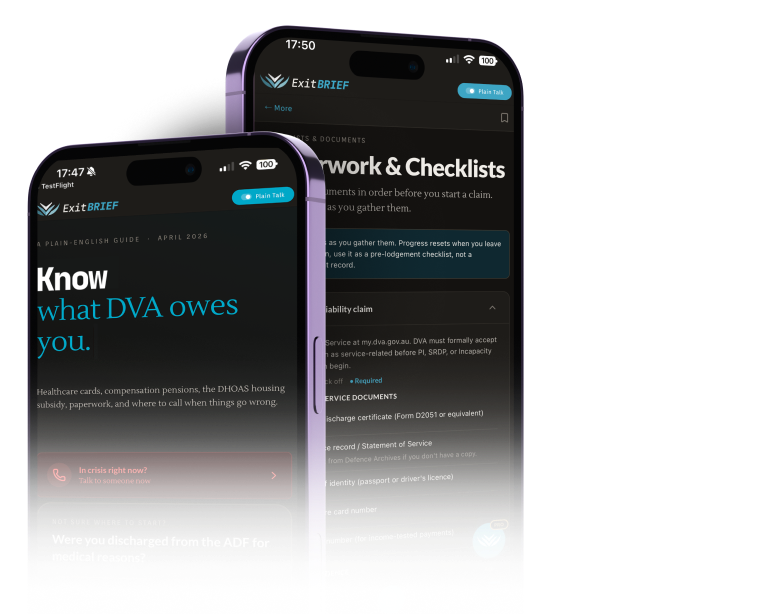
A one-person DVA guide, shipped over four months.
ExitBrief is a mobile and web app that translates the Department of Veterans’ Affairs into plain English. Veterans land on Home, get the Crisis tile, a three-question triage that routes them, a six-tile guide grid, and a seven-step walk-through of the Gold Card path. Static TypeScript data, no backend, no accounts. Designed and built by an Australian veteran over four months.
DVA’s site has everything on it. Almost none of it is readable.
A veteran who needs to know whether they qualify for a Gold Card, find a counselling number tonight, or work out what a TPI claim actually involves has to wade through a bureaucratic portal that assumes they already know the acronyms.
The veterans who most need this information (older, in pain, mid-crisis, or just discharged) drop out before they find what they’re entitled to. The system rewards persistence, which is exactly what the population doesn’t have.
Three rules that drove every screen.
- i
Plain English, always.
If a sentence needs a glossary, rewrite the sentence. Year 10 reading level throughout. Not a constraint: the goal.
- ii
Crisis is one tap from anywhere.
A vet in distress doesn’t navigate menus. The Crisis row is the first interactive element on Home, the first row of Quick Finder. One tap to a screen of phone numbers.
- iii
Curated beats clever.
No AI free-text search on the front door. A short triage wizard and a six-tile grid, all hand-written content. Predictability outranks flexibility when the user is anxious, exhausted, or new to the system.
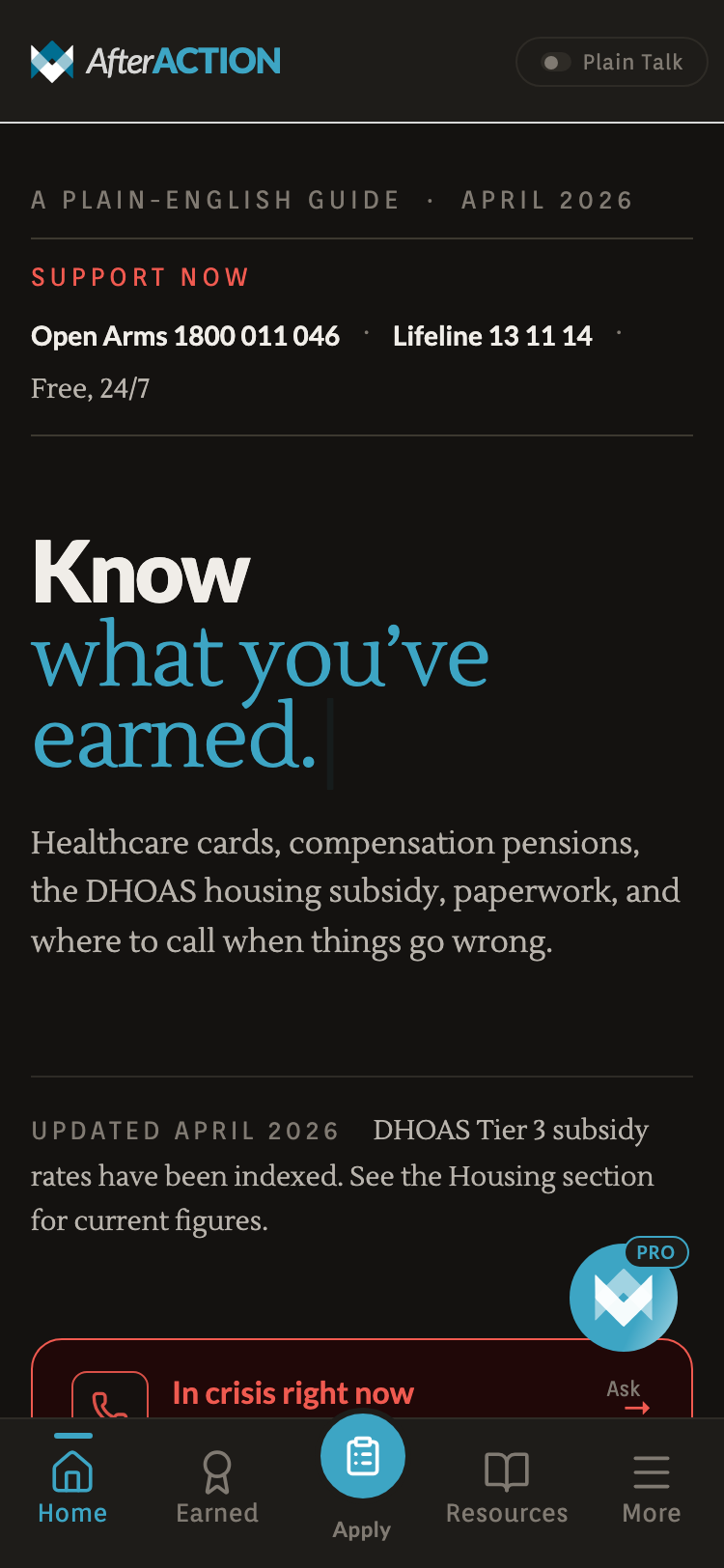
The front page, with crisis help at the top
Cards, payments, how DVA scores injuries
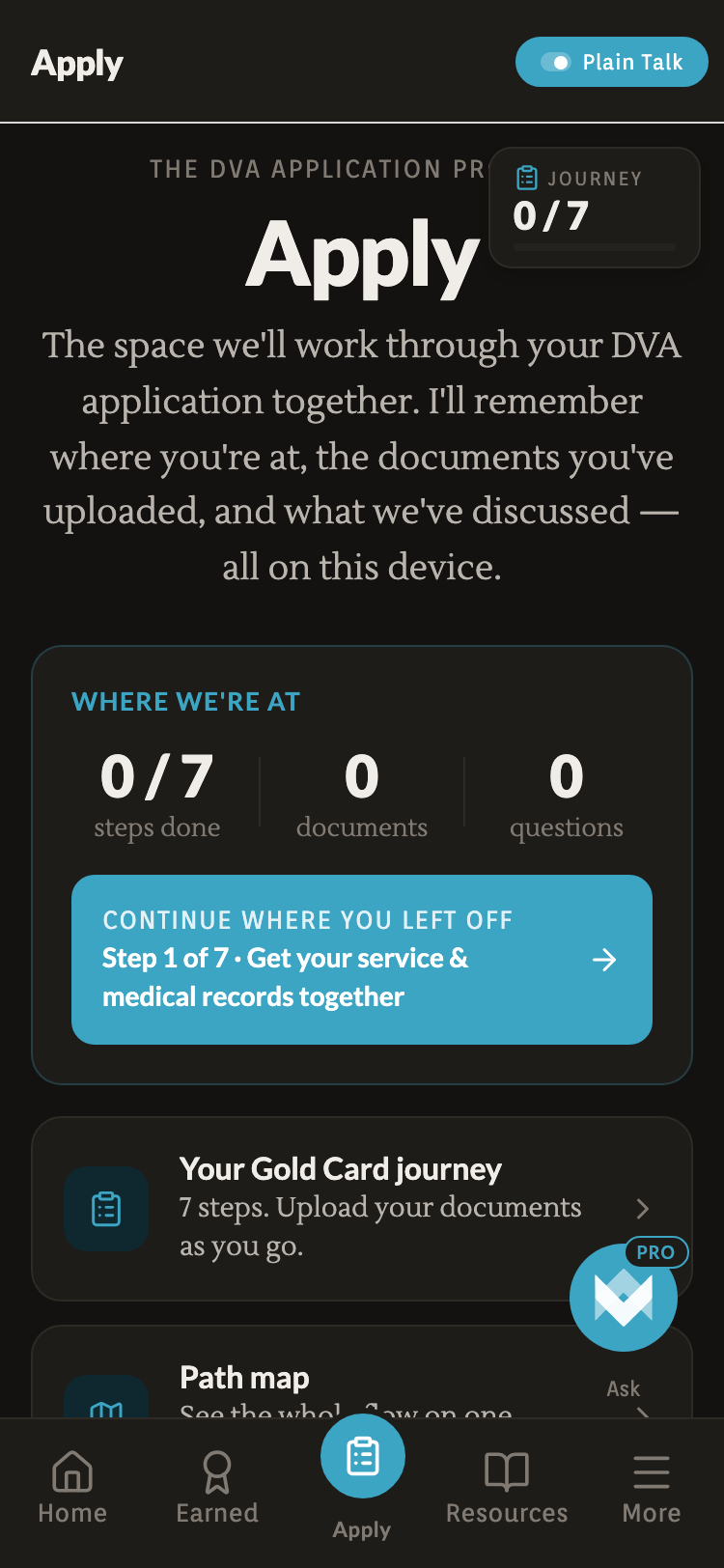
7-step Gold Card Journey + documents
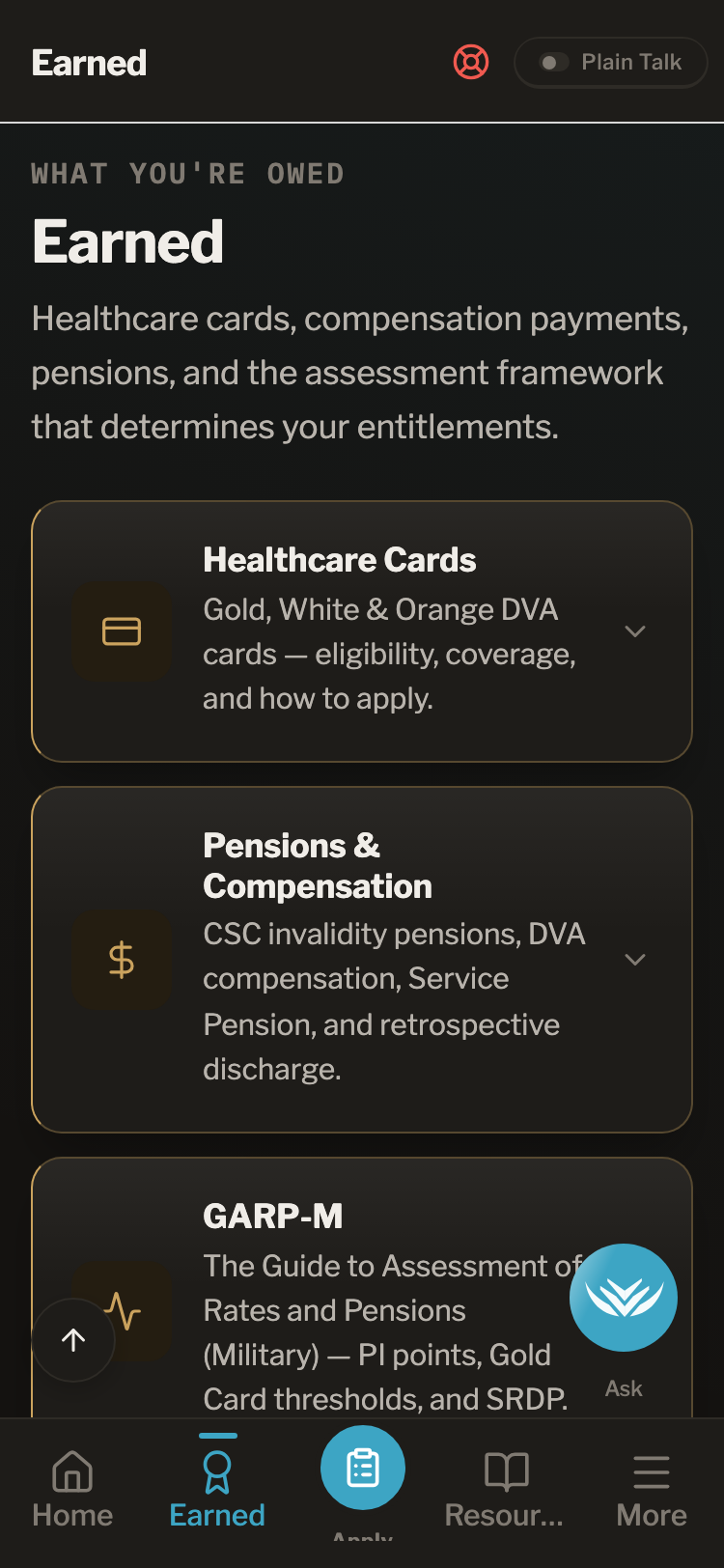
Eligibility, coverage, how to apply
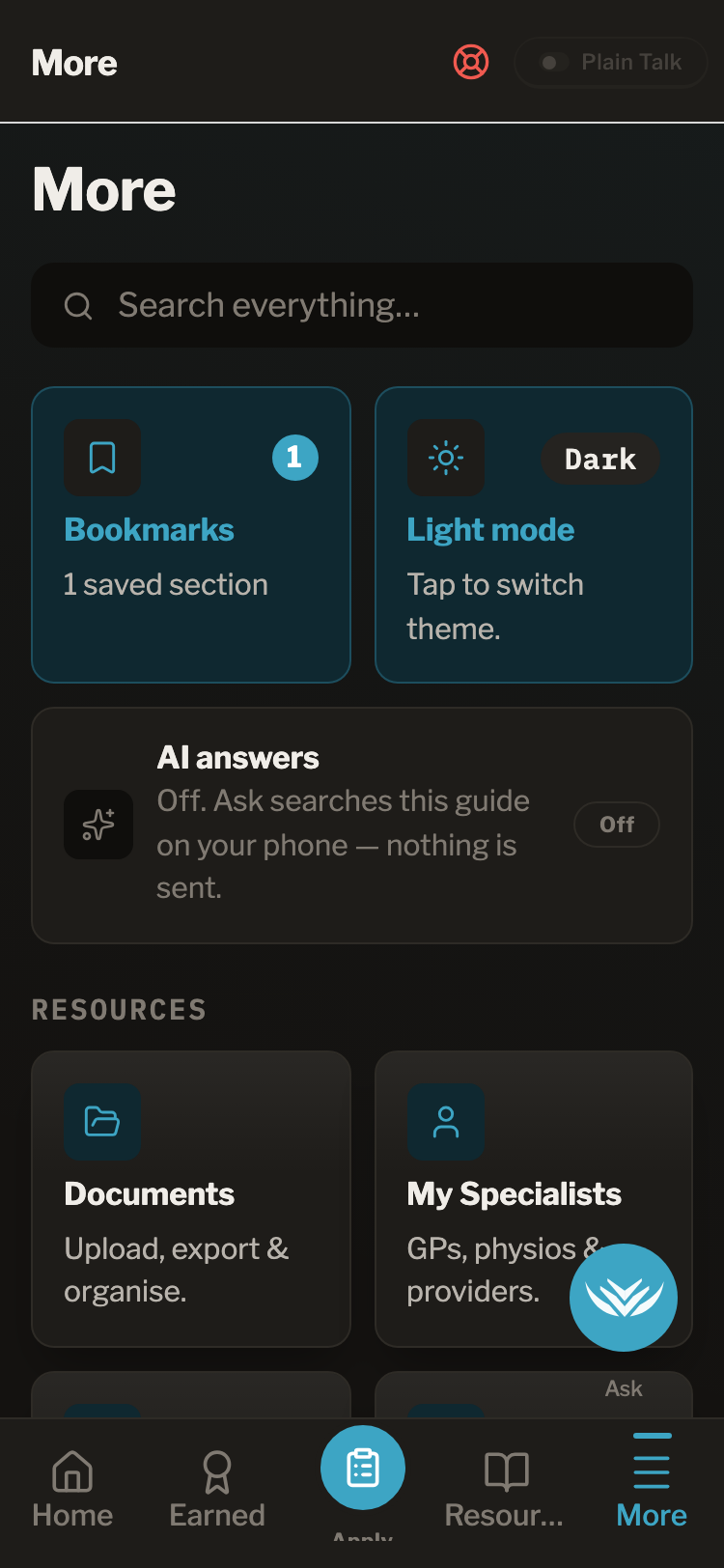
Documents, specialists, tools, glossary
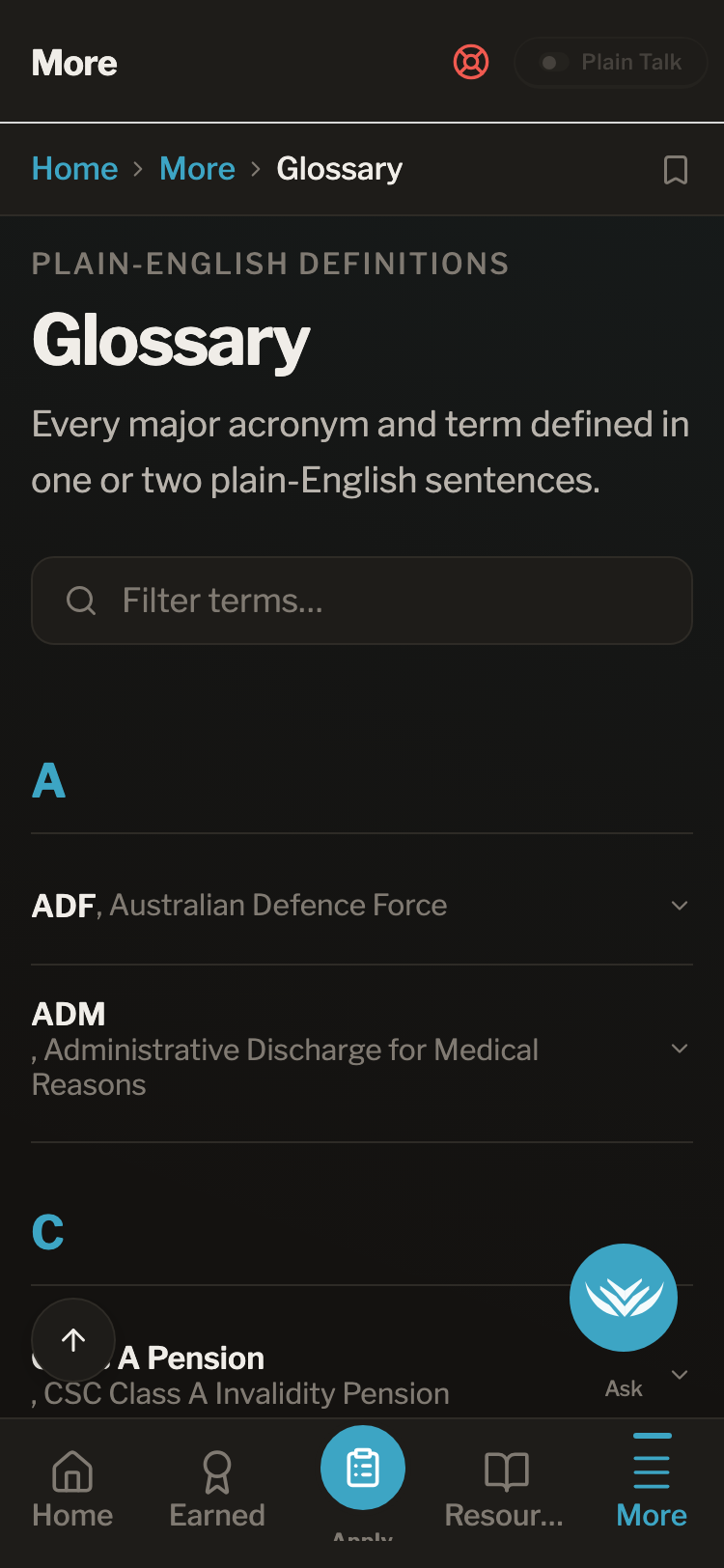
Every DVA term in plain English
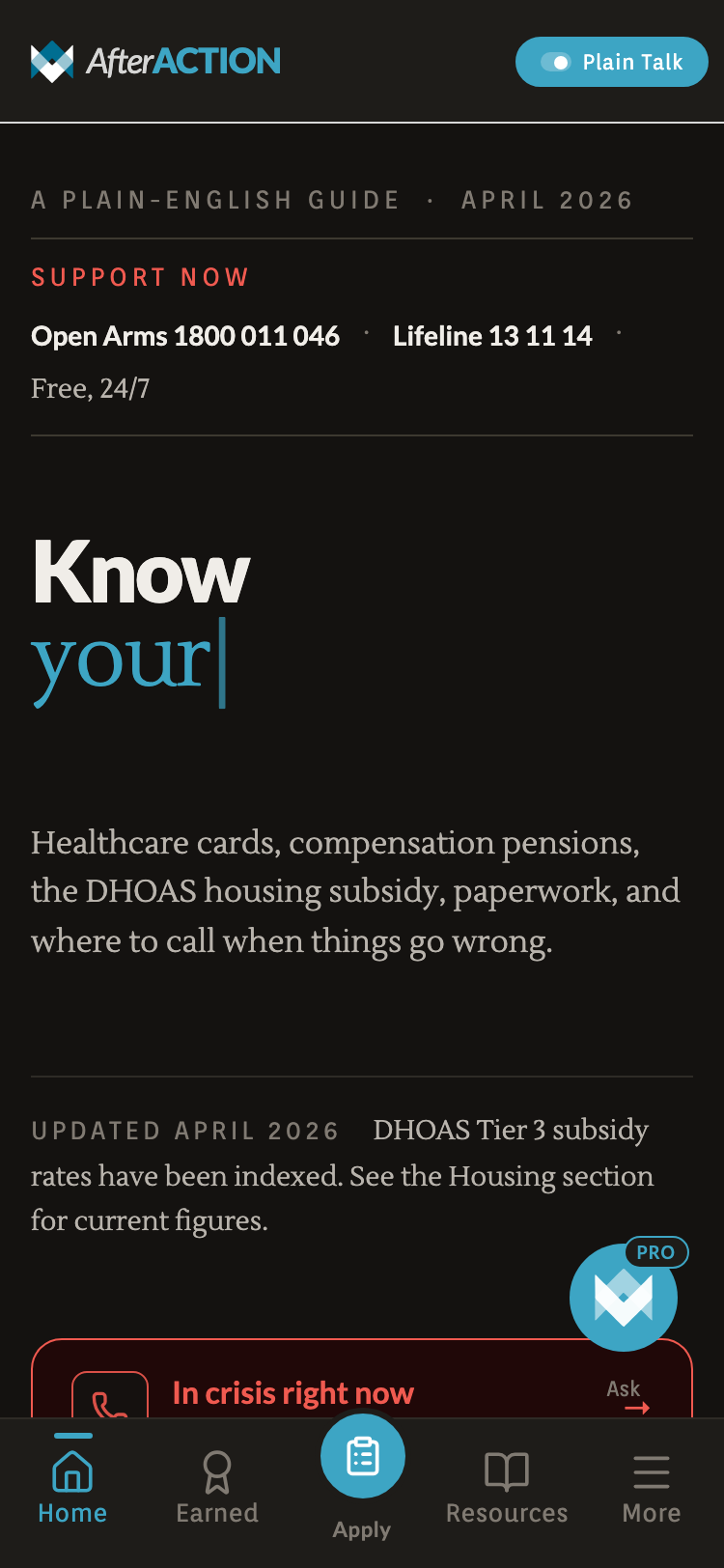
The Plain Talk toggle lives in the header. Flick it on and DVA names get rewritten as plain English everywhere the veteran reads. State persists across the app.
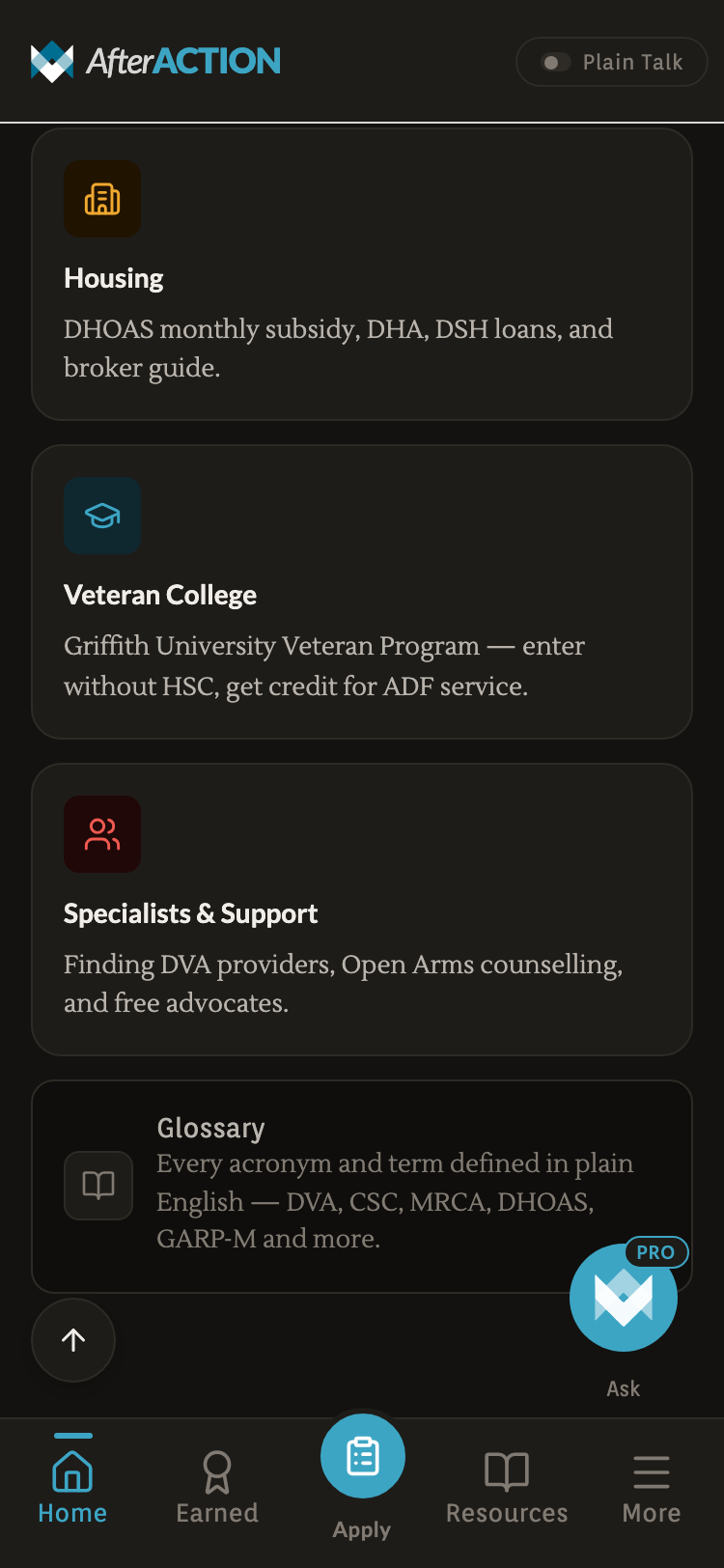
The DVA-native labels.
- 01Benefits
- 02Apply
- 03Housing
- 04Glossary
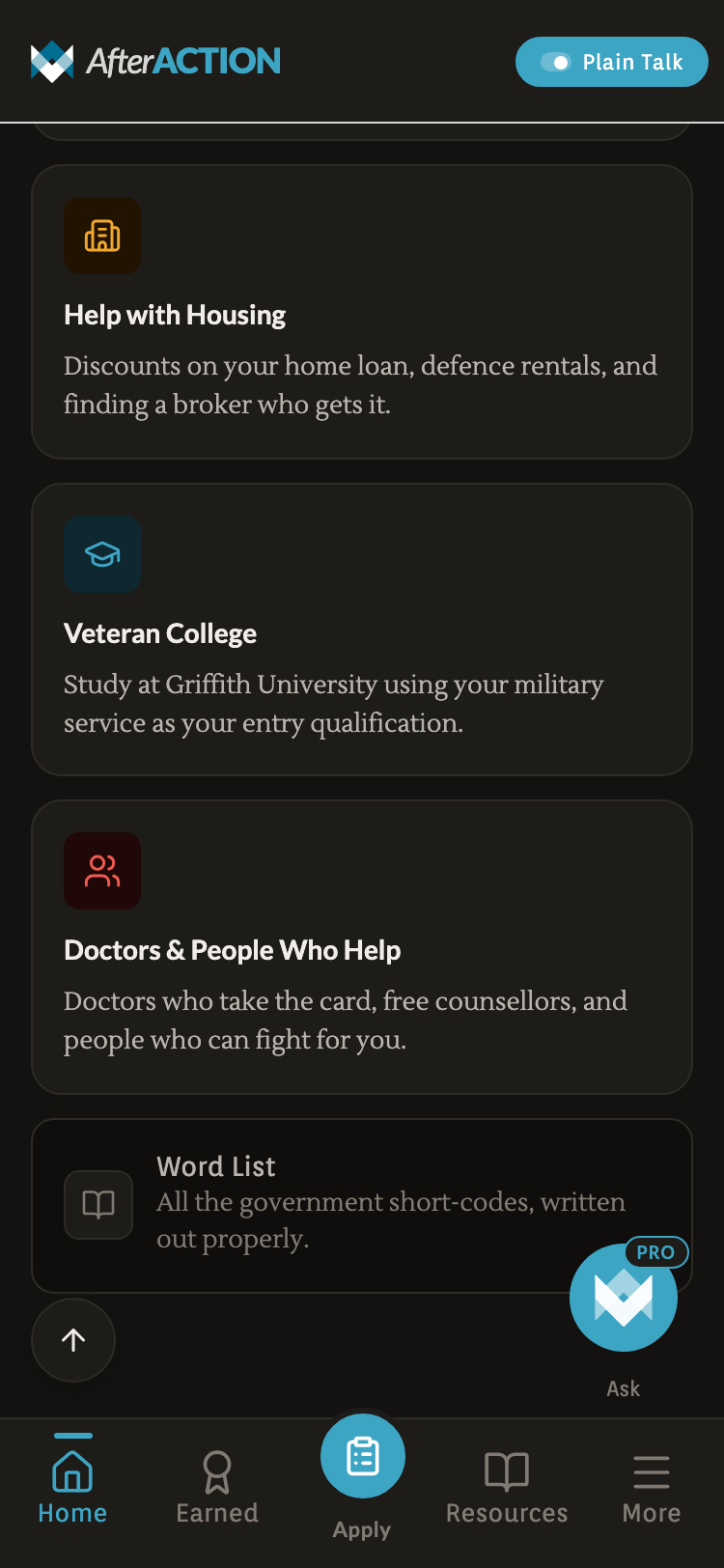
Same content, plainer language.
- 01BenefitsYour Entitlements
- 02ApplyApply for Your Card
- 03HousingHelp with Housing
- 04GlossaryWord List
One typeface. Two themes. Red used for one thing only: a crisis.
The system is built around a warm near-black dark surface, with a single teal accent and a translucent dark red reserved for Crisis. Every other token is restraint.
/Logomark
The mark is two chevrons brought together — the oldest mark of service, rank earned rather than given. Read the other way, they’re two arrows reaching toward each other: one veteran helping another.
- 01Two chevrons. Cohesion over hierarchy. Neither sits on top of the other.
- 02Rank, earned. The chevron is the oldest insignia of service — a shape a veteran already reads as their own.
- 03Two arrows, closing. Help moving inward, from veteran to veteran, not top-down from an institution.
/Wordmark
/Colour palette
Page background · dark mode
Accent · icons · primary actions
Primary text on dark
Pressed · depth · gradients
Hover · focus · highlight
Premium signal · Pro · verified
Elevated callouts · wizards
Tiles · sheets · hub cards
Recessed · rate tables · read-only
18% opacity on Crisis tile
Text on Crisis surfaces
AA contrast verified for every text-on-surface pair. Teal carries action; brass is reserved for premium and verified signals. No pure black (#000) or pure white (#fff) anywhere in the system.
/Typography
One family carries the whole text scale — no dedicated condensed cut exists, so 800/900 hold the display load for screen titles and headlines (its default proportions already run narrower than Roboto's), while 400/500 handle prose, the lede line, and card titles. Replaces the brief Roboto/Roboto Condensed pairing.
Uppercase kickers, overlines, and section labels. Replaces Orienta — same conversational-UI register, +8% tracking on the uppercase runs.
JetBrains Mono stays wordmark-only. IBM Plex Mono now carries data — stat numbers, phone numbers, verified dates — reading as a service record without borrowing the wordmark's voice.
/Tone of voice
Built for someone having a bad day, not someone at a desk.
No accounts. Ever.
Every byte lives on the device. No login flow, no password reset, no ‘we have sent you an email’. Privacy is a product feature, not a settings page.
Static TypeScript data
Concession rates, hotlines, entitlement descriptions live in committed .ts files. No CMS, no API, no stale-cache problems. Trust comes from auditable source and verified dates.
Verified dates per fact
Every dollar amount, every phone number carries a verified: YYYY-MM-DD field. A quarterly audit script flags anything older than 90 days, fails anything older than 180.
Tap-to-call as a first-class action
Hotline rows are styled as primary CTAs, not list items. Tapping opens tel: directly. The phone is the path of least resistance, not a fallback.
Plain Talk toggle in the header
A global simplify flag lets a user dial complexity up or down without leaving the screen. Toggle state persists.
Stamped progress, never live timers
The Apply hub shows ‘0/7 steps done · 0 documents’: a record of where you are, not a countdown. Veterans don’t need surveillance; they need a logbook.
WCAG AA on every screen. Animation stops if your phone asks it to.
Crisis tile pale red (#FECACA) on translucent dark red over ink (#141210) hits 7.8:1. Paper on Ink = 14.2:1. No pure black, no pure white anywhere.
Hotline cards, tile icons, header buttons all clear. Designed for older hands and mid-crisis dexterity, not office hands.
ScalePress, FadeIn, PageSlide, TypeWriter hero all consult useReducedMotion(). Functionality is identical with motion off.
Buttons, links, tabs all labelled. Crisis tile announces ‘In crisis right now, open crisis support’. No div-as-button anywhere.
Focus rings on every focusable element. Tab order matches visual order. Native elements wherever possible.
Apply tab document slots have a print stylesheet so a veteran who wants a paper copy can print and check off.
Three screens doing the heavy lifting.
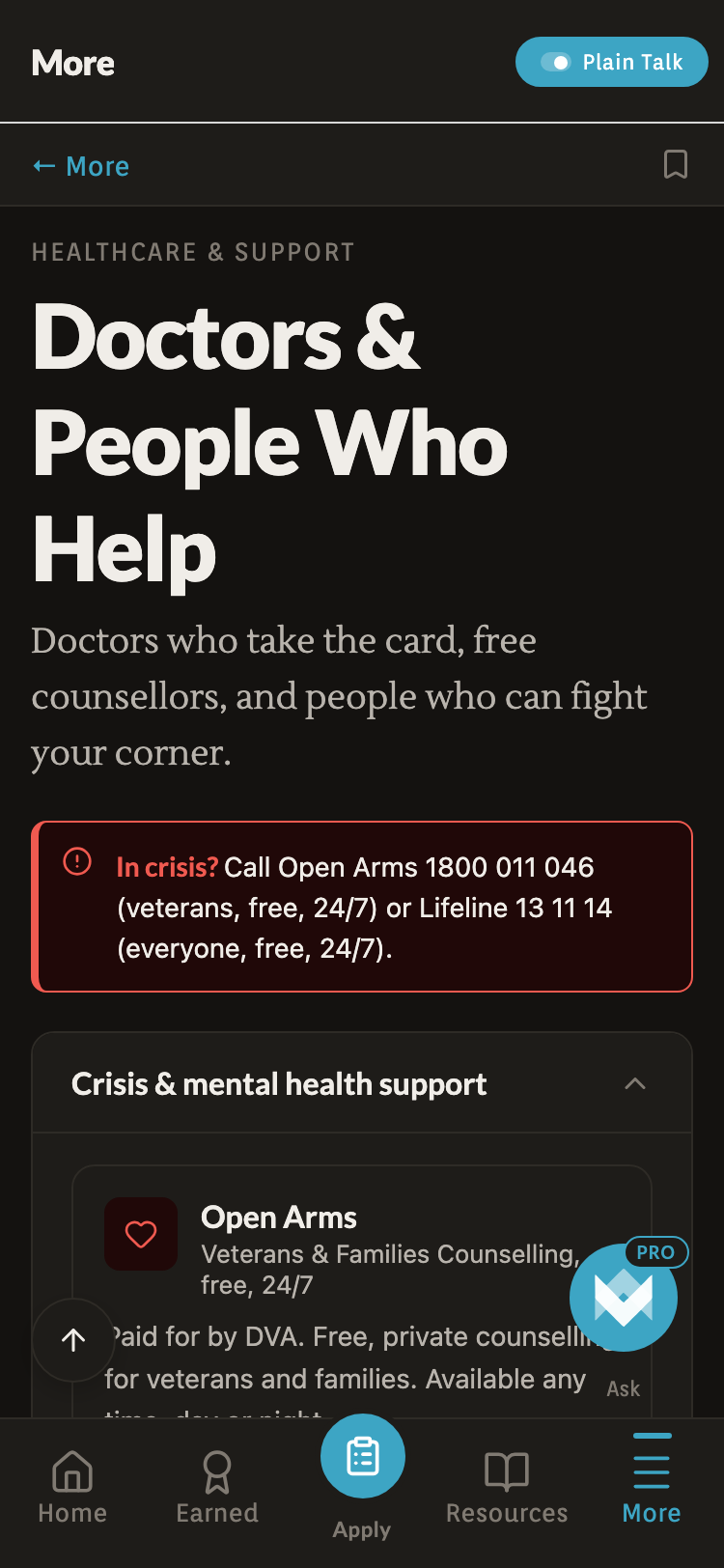
Five hotlines, dialler-ready. Emergency in red, the rest in the app accent. This screen exists so a vet in distress never has to navigate.
Dial the jargon down.
A single pill in the header rewrites every screen in shorter, simpler language. State persists across the app.
Triage, then browse.
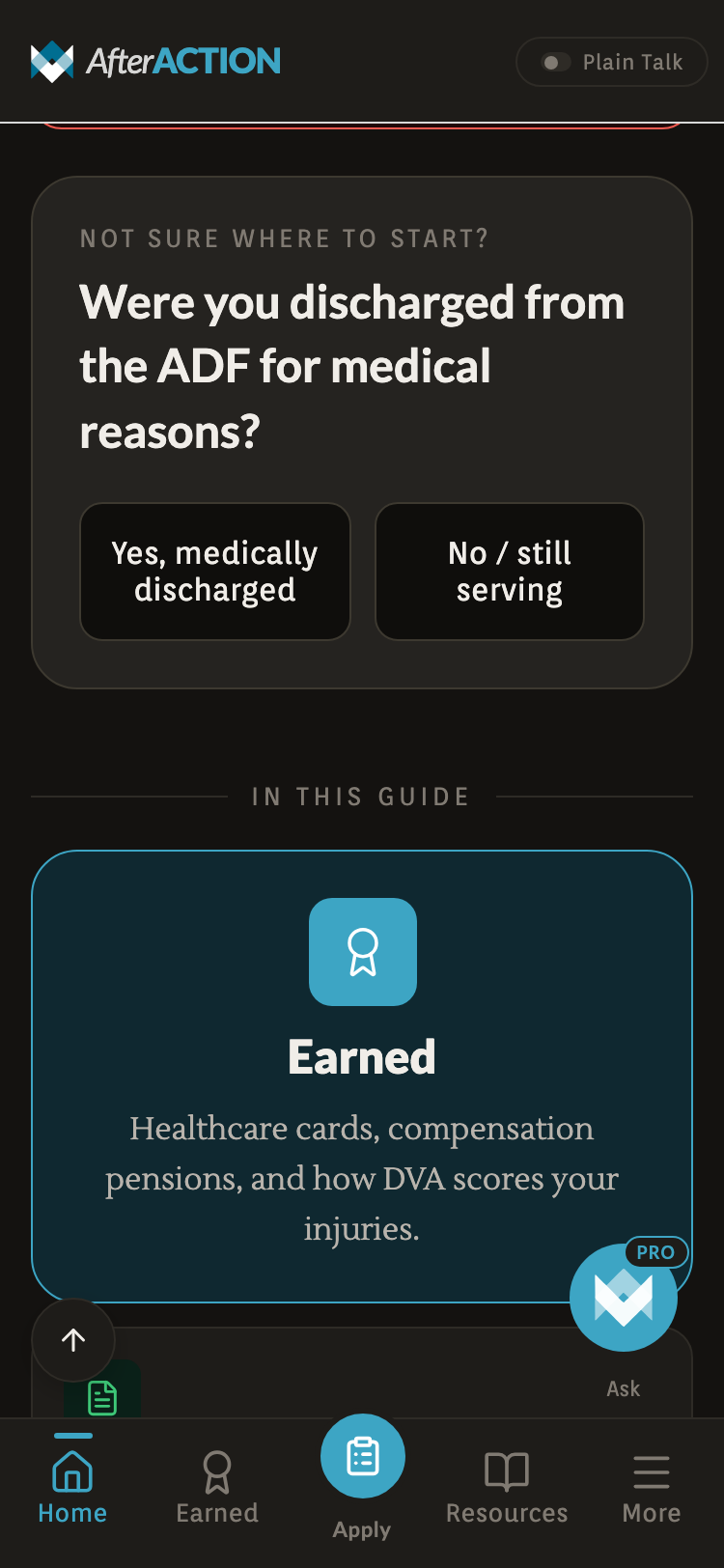
Three questions about how you left the ADF route you straight to the sections that apply. Skip them and the whole guide is a six-tile grid.
What got cut, and why.
Finished cases look intentional in retrospect. The reality is messier: here are three concrete decisions made and unmade along the way.
Five calls that shaped the product.
- 01
Crisis tile is a soft red wash, not an alarm.
Originally a saturated #DC2626 fill with white text. It looked like a system error. Replaced with the same red at 18% opacity over the dark surface, with pale red text. The tile now reads as ‘important and ambient’, not ‘something is on fire’.
- 02
No AI free-text on the front door.
Considered a search-first home screen powered by Ask (the AI tier). Killed it. AI misroutes erode trust on the first interaction. Replaced with a categorised grid. Ask still exists as a paid tier.
- 03
PathMap moved from a nav card to a bottom sheet.
Originally a separate ‘Path map’ hub card on the Apply tab: a flowchart of the seven steps, sitting beside the Journey card that covered the same ground. Now nested inside the journey card as a second tap target — same content, one card, one less choice to make.
- 04
Static TypeScript data over a CMS.
A backend CMS would make content edits easier but would introduce uptime risk, sync lag, and a moving target for auditors. Hardcoding hotlines and rates in .ts files means every fact has a git blame and a verified date.
- 05
One screen, then the next. No dashboard.
Resisted the temptation to build a ‘veteran dashboard’ with stats, streaks, completion rings. Veterans aren’t users of a game. The Apply hub shows ‘0/7 steps done’ as a record, not a score.
The product, today.
Counted, not claimed.
It is live and free on the App Store. There are no usage metrics worth pointing at yet, so what follows are countable facts about the product itself: what it ships with, not what it’s done for anyone.
No signup, no password, no email verification. Open the app and use it. Everything lives on the device.
Emergency 000, Lifeline, Open Arms, Suicide Call Back, 1800RESPECT. All dialler-ready on the Crisis screen.
Every screen, every guide, every crisis line. No paid tier, no trial, no ads. Nothing in the app costs money.
A linear walk-through from service records to a Gold Card, with per-step document slots stored device-local.
What I’d revisit, what I’d make again.
The Apply tab’s floating 0/7 badge
It floated top-right of the Apply hub, landing on the page heading and repeating the same X/7 the card directly below it already stated. A stat worth surfacing, in the one place it wasn’t needed. It now appears only on the journey and flow views, where that card isn’t on screen.
Static TypeScript data over a CMS
Every content update is a code commit. Slow if I were optimising for content velocity. But every fact has a git blame, a verified date, and a peer-reviewable diff. For a product where a wrong figure could cost a vulnerable user real money, auditability outranks ease.
The Ask FAB shimmer animation
The AI button shimmers diagonally every six seconds and pulses a subtle halo. It was meant to signal ‘the smart thing’: a soft beacon. In use it reads as ‘the thing the designer was most excited about’. Marked for removal.
A solo project. Made for the people who knew the system from the inside and got tired of pretending it was findable.
Download on the App Store